Quick answer
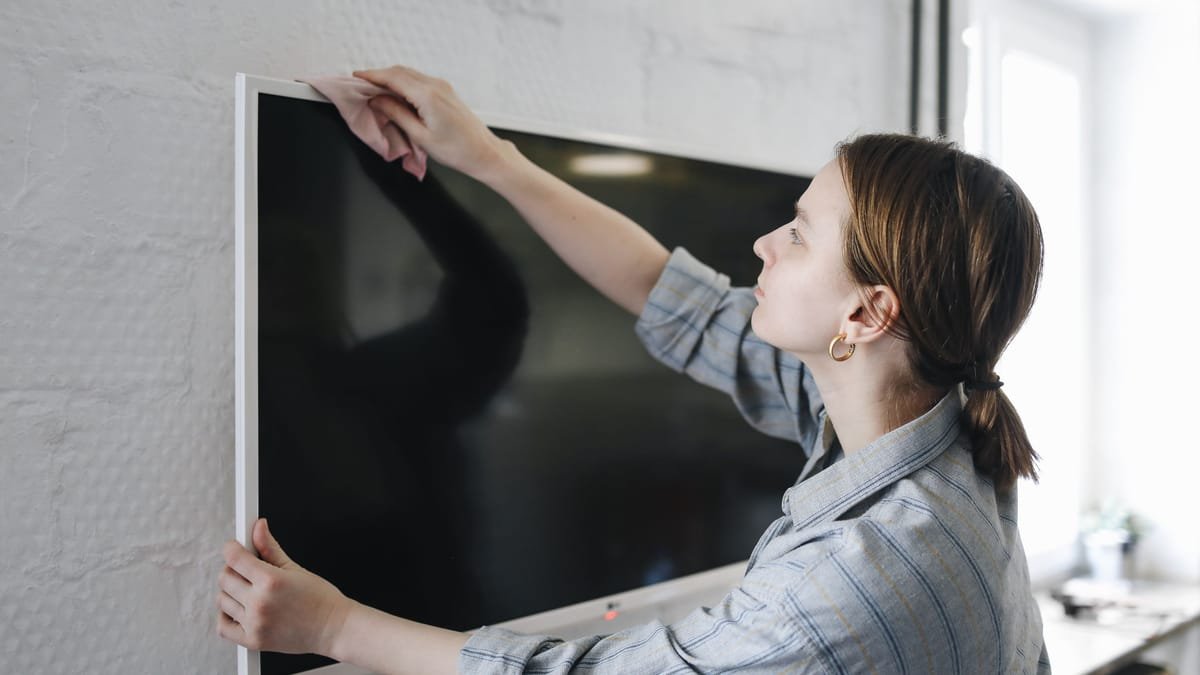
Turn the TV off, let it cool, and unplug it. Wipe the screen gently with a dry microfiber cloth. For smudges, lightly dampen the cloth with distilled water (never spray the screen), wipe again, dry with a second cloth, and let it dry completely before you plug it back in. Never use window cleaner, alcohol, ammonia, paper towels or hard pressure.
The TV is the biggest screen in most homes, and one of the most expensive things people clean with whatever is under the sink. Fingerprints, dust and the haze from a kitchen next door build up slowly, and then one day the picture looks dull and the temptation is to grab the glass cleaner. That's the mistake. Modern screens have delicate surfaces, and the manufacturers are clear about what to use and what to avoid. This guide follows their instructions, step by step.
What you need
- Two clean, soft microfiber cloths (one for wiping, one for drying)
- Distilled water in a small cup or bottle, used on the cloth only
- A soft brush or a dry cloth for the frame and vents
- A step stool if the TV is mounted high on the wall
That's all. LG states plainly that no special products are necessary to periodically clean its TV screens, and you don't need a screen-cleaning kit unless you want one.
Step 1: turn it off, let it cool and unplug it
Samsung's instructions are to turn the TV off and let it cool for a few minutes before unplugging the power cord, and LG also starts with unplugging, explaining that it's so that nobody gets shocked. A black, switched-off screen also shows dust and smudges much better, so you can see what you're cleaning.
Step 2: dust the screen dry first
- Fold a dry microfiber cloth into a pad.
- Wipe the screen gently from top to bottom, with light pressure. Samsung warns that TV screens are fragile and can be damaged when pressed too hard.
- Wipe the frame (the bezel) and the stand the same way.
Samsung also says to remove any foreign substances first. Grit and crumbs can scratch if you drag them across the screen under a damp cloth, so dry dusting comes first.
Step 3: wipe off fingerprints and smudges
- Dampen the cloth, not the screen. Samsung says to lightly dampen the cloth with distilled water (and not to spray the TV), and LG says to use lukewarm water on a soft microfiber cloth.
- Wring the cloth out until it is nearly dry. LG explains that this leaves just enough moisture to remove stubborn marks without damaging the screen.
- Wipe gently in circles. LG says gentle circular motions tend to give better results, and warns against too much pressure.
- Dry with the second, dry cloth so nothing is left to leave streaks.
- Let the screen air dry completely before you plug the TV in and turn it on.
Distilled water is worth the small effort because tap water carries minerals that can leave spots and streaks as it dries.
What never to use
Samsung's guidance includes a short list of "never" items.
- Window or glass cleaners, soap, scouring powder or wax. Samsung says never to use any type of these on the screen.
- Solvent-based cleaners. The same guidance says to avoid cleaners containing alcohol, ammonia or acetone.
- Paper towels and abrasive pads. They are rougher than they feel and can leave fine scratches.
- Spray bottles aimed at the screen. Never spray water or any liquid directly onto the TV, since liquid can run into the edges and the electronics.
- Hard pressing. If a mark doesn't come off with light pressure, don't push harder. Repeat the damp wipe instead.
Stubborn marks
For dried-on spots, repeat the damp wipe once or twice and give the moisture a moment to loosen the mark before you wipe, rather than scrubbing. Manufacturers also vary on special cases. For example, Samsung's instructions for its Frame and Serif models allow a melamine foam sponge (a "magic eraser") on stubborn stains, used dry and not wet before wiping the screen. That advice is specific to those models, so check your own manual before trying it on any other TV.
Different screen types: LED, OLED, QLED and matte
The core rules stay the same: unplug, microfiber, a little water, no chemicals. LG's instructions cover its OLED, 4K and LED TVs with the same method. Some screens have an anti-glare or matte coating, and others are glossy. Either way, the safe approach is to start with the dry cloth, then the lightly dampened one. If your manual lists a different method for your model, follow the manual.
The frame, vents and the back of the TV
- Frame and stand: wipe with the same dry or barely damp microfiber cloth.
- Vents: dust slots and vents with a soft brush or a dry cloth, and don't spray anything near them.
- Behind the TV: if it's on a stand, dust the back and the cables while it's unplugged. Our living room organization guide covers bundling cords and keeping the media console tidy so dust has fewer places to hide.
- Remote control: wipe with a cloth that is barely damp and dry it well. Keep moisture out of the buttons.
Wall-mounted TVs and tall stands
Use a step stool so you can reach the top edge without stretching or leaning on the screen. Never grab the TV for balance. If your TV is mounted on an arm that swings, be careful not to pull on it, and keep one hand steady.
How to avoid streaks
- Use clean cloths. A cloth with dust or oil on it just moves the dirt around.
- Wash microfiber cloths on their own with a little detergent and no fabric softener, since softener leaves a film that causes streaks.
- Wring the cloth until it is nearly dry. Too much water is the main cause of streaks.
- Wipe in one direction at the end, and dry immediately with the second cloth.
- Clean with the room lights on and the TV off so you can see the streaks before they dry.
What if liquid got on the TV?
If you sprayed the screen or liquid ran into the edges, turn the TV off and unplug it right away. Let it dry completely, and don't turn it back on until it is fully dry. If liquid may have gotten inside, or the TV behaves oddly afterward, contact the manufacturer for advice.
How often to clean
- Every week or two: a dry microfiber dusting of the screen, frame and stand.
- When needed: the damp wipe for fingerprints and smudges, which are most common in homes with young children or pets.
- Every few months: dust the vents and the back of the TV and the cables.
Sources
Frequently asked questions
What is the best way to clean a TV screen?
Turn the TV off, let it cool and unplug it. Wipe the screen gently with a dry microfiber cloth. If smudges remain, lightly dampen the cloth with distilled water, wipe again, then dry with a dry cloth and let the screen dry completely before plugging the TV back in.
Can I use Windex or glass cleaner on a TV screen?
No. Samsung says never to use any type of window cleaner, soap, scouring powder or wax on a TV screen, and to avoid solvent-based cleaners such as those containing alcohol, ammonia or acetone. These can damage the screen's surface.
Can I use paper towels to clean my TV?
No. Samsung's guidance says never to use abrasive pads or paper towels on a TV screen. Use a soft microfiber cloth instead, and press lightly, since TV screens are fragile and can be damaged when pressed too hard.
Why does my TV screen look streaky after cleaning?
Streaks usually come from too much moisture, a dirty cloth, or minerals in tap water. Use a clean microfiber cloth, wring it until nearly dry, use distilled water, wipe gently, and dry with a second dry cloth.
How often should I clean my TV screen?
Dust it with a dry microfiber cloth every week or two, and do the damp wipe only when fingerprints or smudges show. LG notes that no special products are necessary to periodically clean its screens.
This site may earn a commission from products linked here, at no extra cost to you.